VPC
AWS Virtual Private Cloud (VPC) 筆記。
IP Addresses in AWS
IPv4
- Public IPv4: EC2 gets new public IP every time you stop then start (default)
- Private IPv4: Fixed for EC2 instances even if stopped/started (e.g., 192.168.1.1)
- Elastic IP: Attach a fixed public IPv4 to EC2 instance (has ongoing cost if not attached or instance stopped)
IPv6
- Every IP address is public
- Example: 2001:db8:333:4444:cccc:dddd:eeee:ffff
VPC Overview
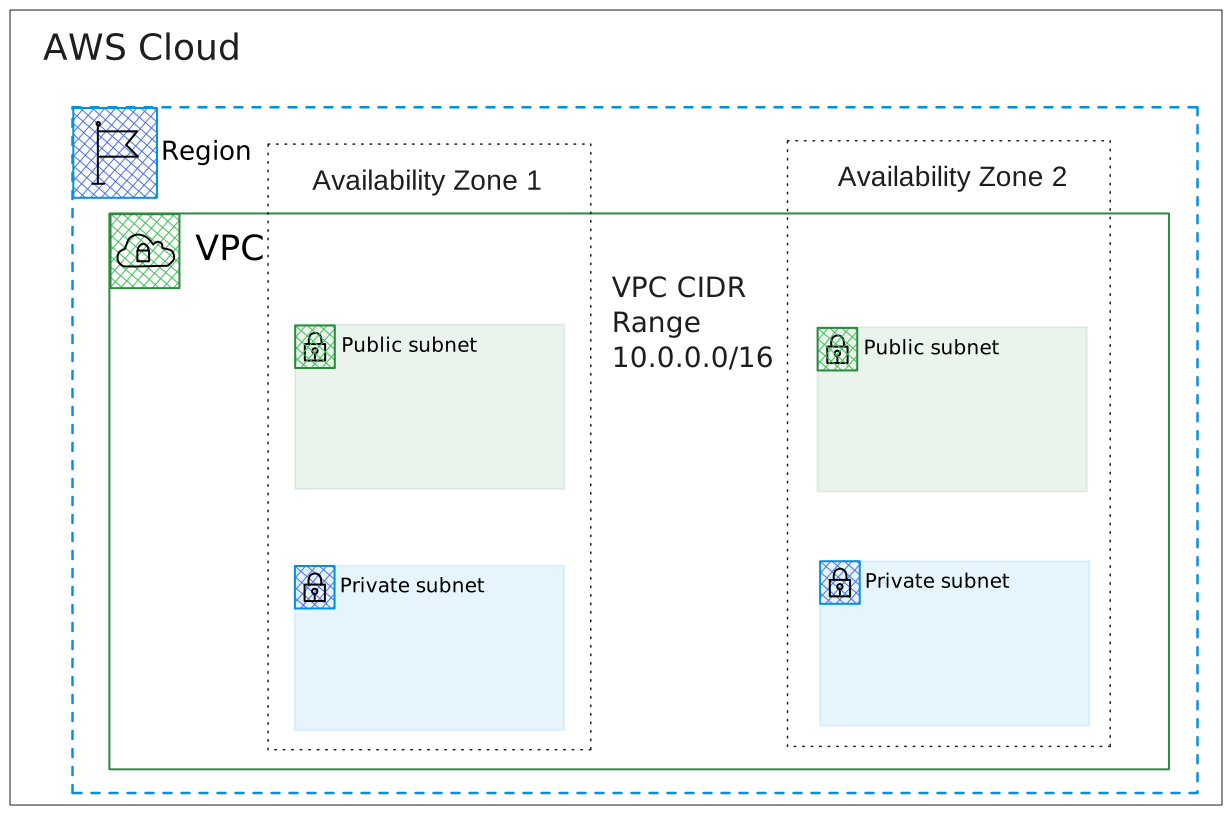
Private network to deploy your resources (regional resource)
- Subnets: Partition your network inside VPC (Availability Zone resource)
- Public subnet: Accessible from the internet
- Private subnet: Not accessible from the internet
- Route Tables: Define access to the internet and between subnets
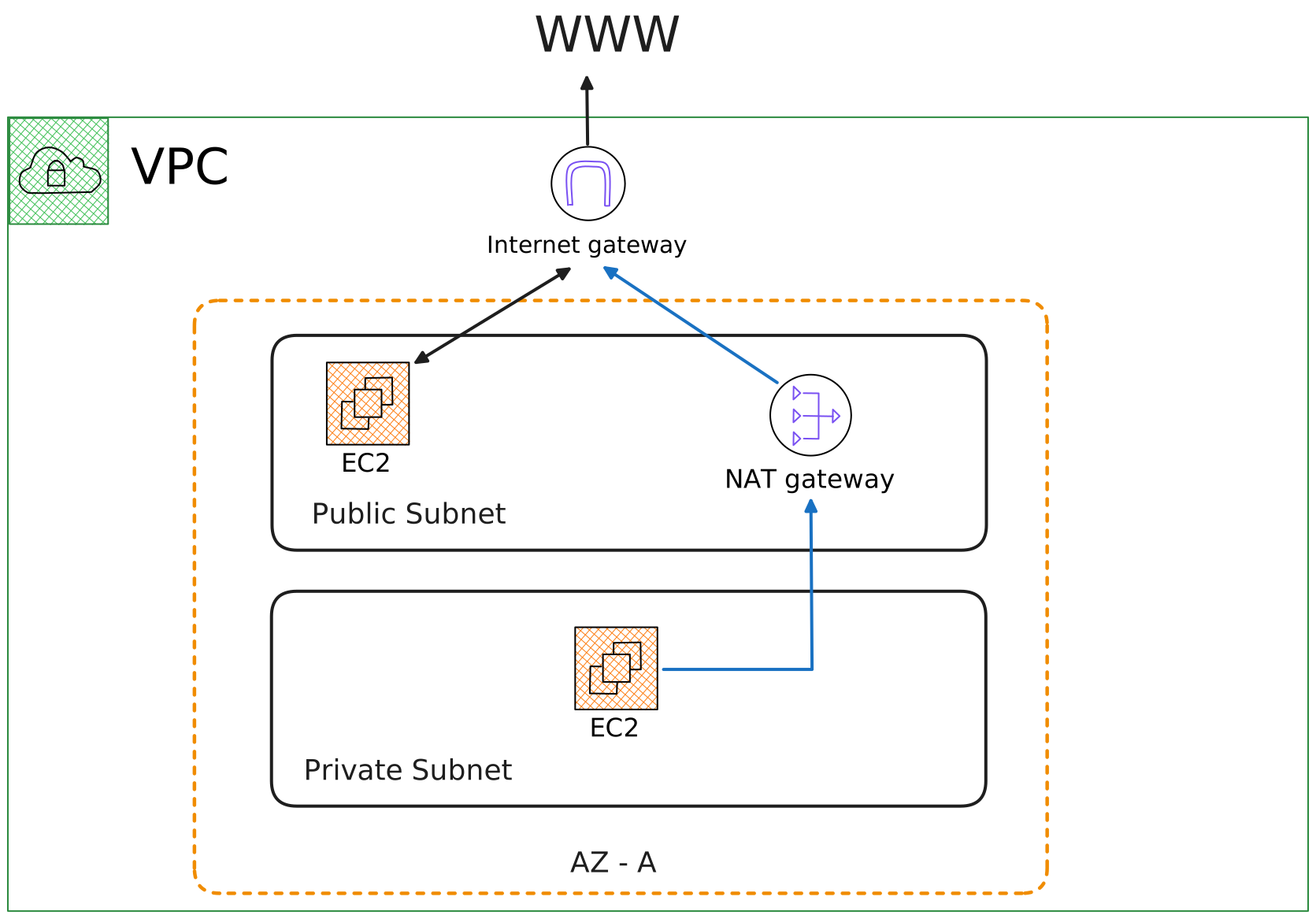
Internet Gateways & NAT Gateways
- Internet Gateway: Helps VPC instances connect with the internet
- Public Subnets: Have a route to the internet gateway
- NAT Gateway (AWS-managed) & NAT Instances (self-managed): Allow instances in Private Subnets to access internet while remaining private
Network ACL & Security Groups
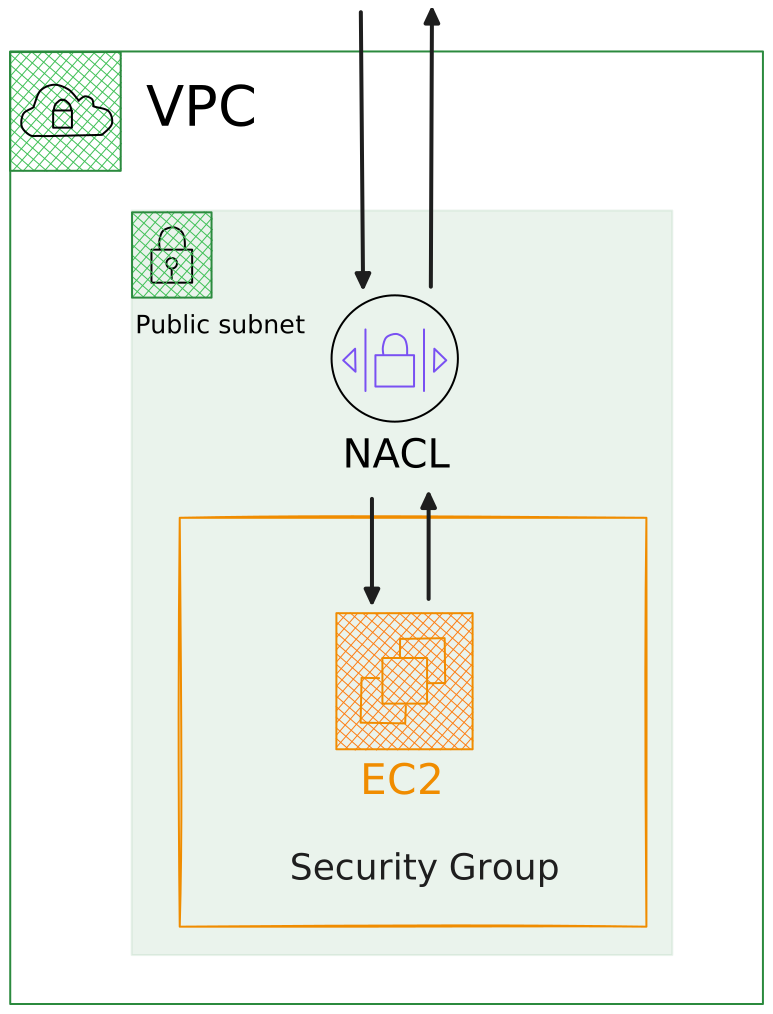
| Feature | Network ACL | Security Groups |
|---|---|---|
| State | Stateless | Stateful |
| Level | Subnet level | EC2 Instance level |
| Rules | ALLOW and DENY | Only ALLOW |
| Rule content | IP addresses only | IP addresses and other security groups |
| Return traffic | Must be explicitly allowed | Automatically allowed |
| Rule processing | In number order | All rules evaluated |
| Application | Automatically to all instances in subnet | Must be explicitly specified |
VPC Flow Logs
Capture information about IP traffic going into your interfaces:
- VPC Flow Logs
- Subnet Flow Logs
- Elastic Network Interface Flow Logs
Helps monitor & troubleshoot connectivity issues:
- Subnets to internet
- Subnets to subnets
- Internet to subnets
Also captures from AWS managed interfaces: ELB, ElastiCache, RDS, Aurora
VPC Peering
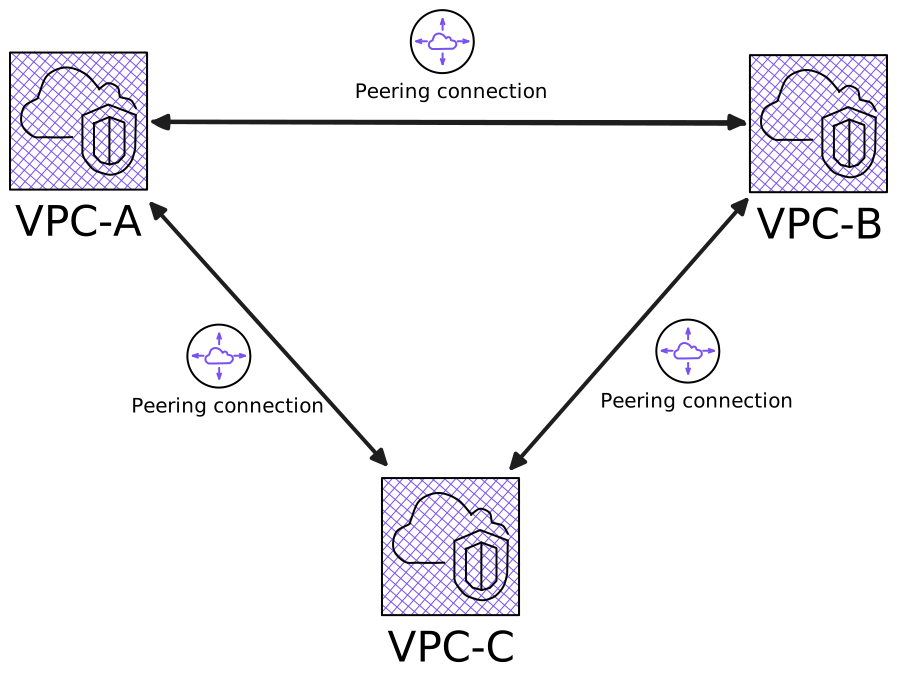
- Connect two VPCs privately using AWS network
- Must not have overlapping CIDR (IP address range)
- Not transitive (must be established for each VPC pair)
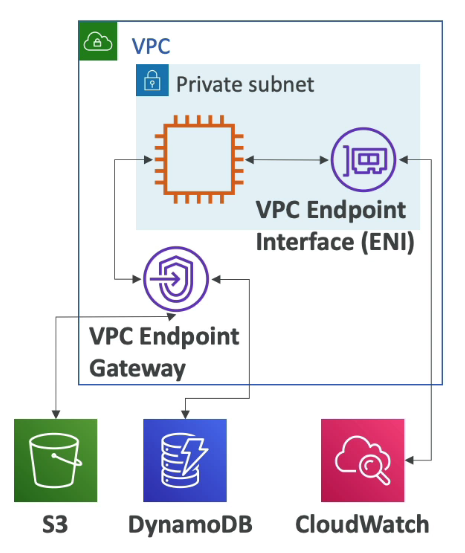
VPC Endpoints
- Connect to AWS Services using private network instead of public internet
- Benefits: Enhanced security and lower latency